All your apps.
One clear view.
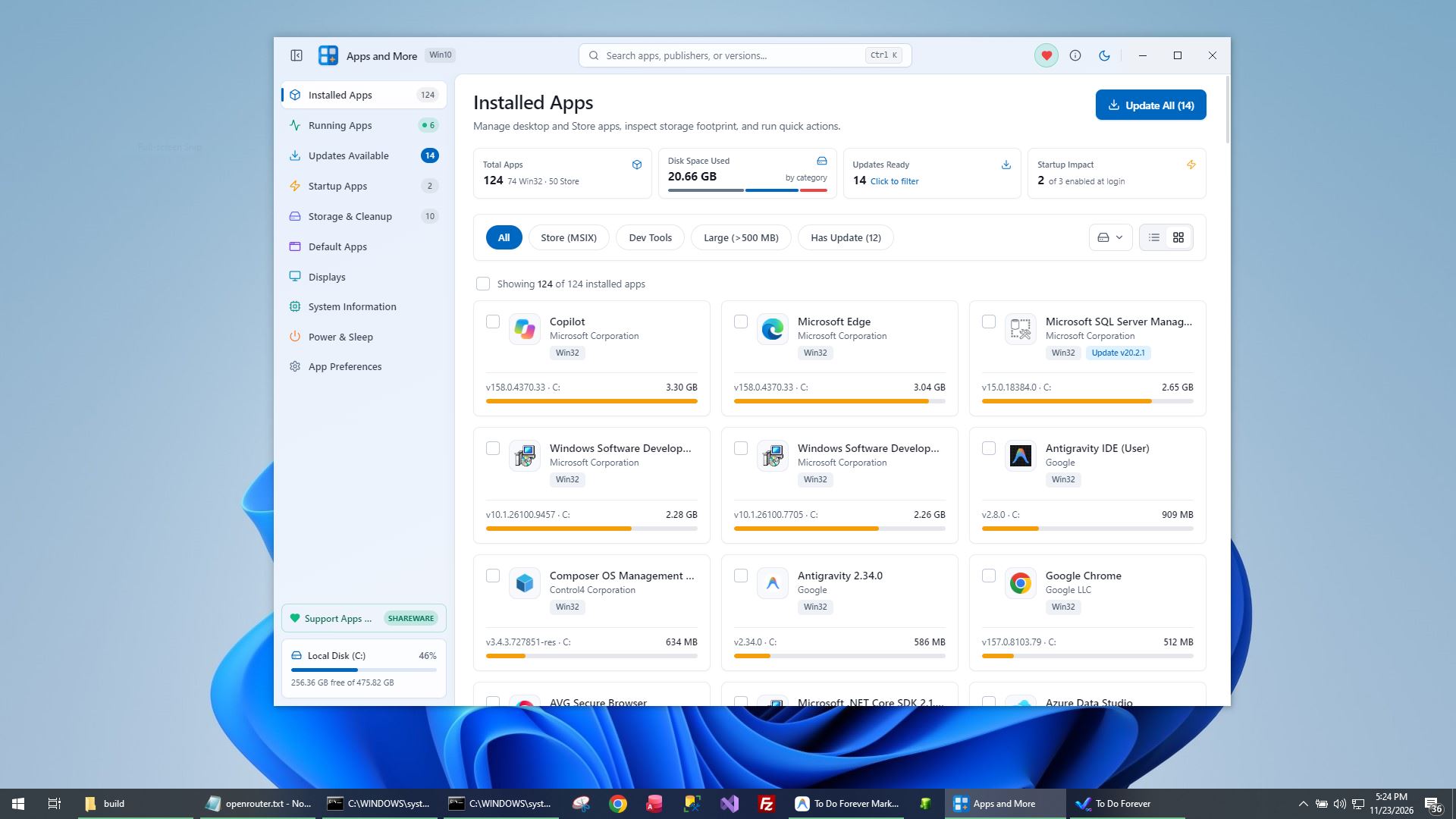
Browse desktop and Microsoft Store apps together. Filter, inspect app details, open install folders, and repair, modify, uninstall, or manage apps in bulk.
Free Windows PC toolkit
Manage apps, check performance, reclaim storage, tune displays, explore your hardware, and adjust power settings from one modern Windows app. Apps and More brings the tools you need closer together, without the maze of menus.
One toolkit. More control.
Everyday app and system tools, gathered in one clear, responsive workspace.
Browse desktop and Microsoft Store apps together. Filter, inspect app details, open install folders, and repair, modify, uninstall, or manage apps in bulk.
Find available upgrades with Windows Package Manager. Review release notes and version information before updating one app or running Update All.
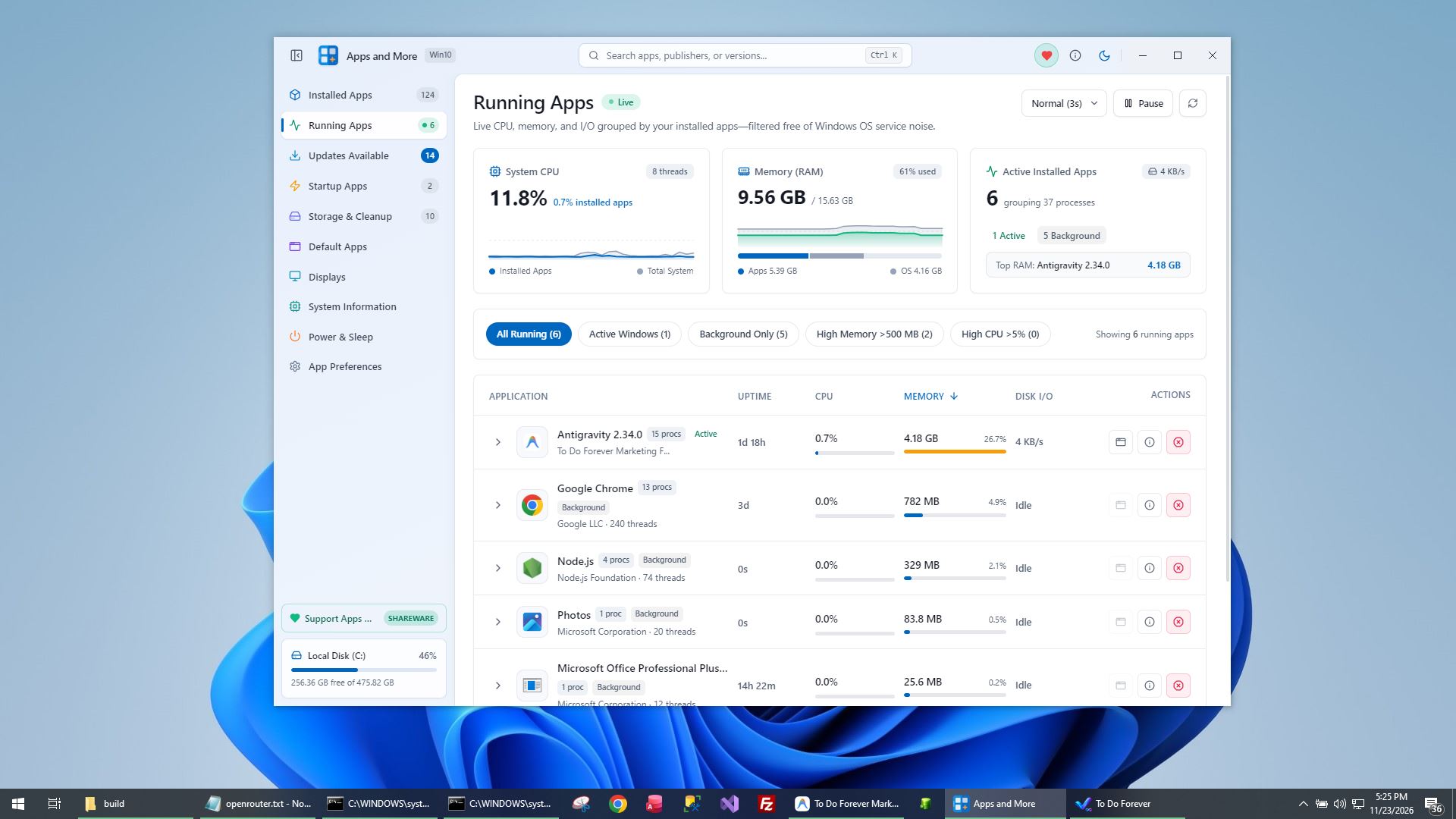
Track live CPU, memory, and disk activity grouped by app—not a wall of cryptic background processes. Inspect subprocesses, switch to an app window, or end a task.
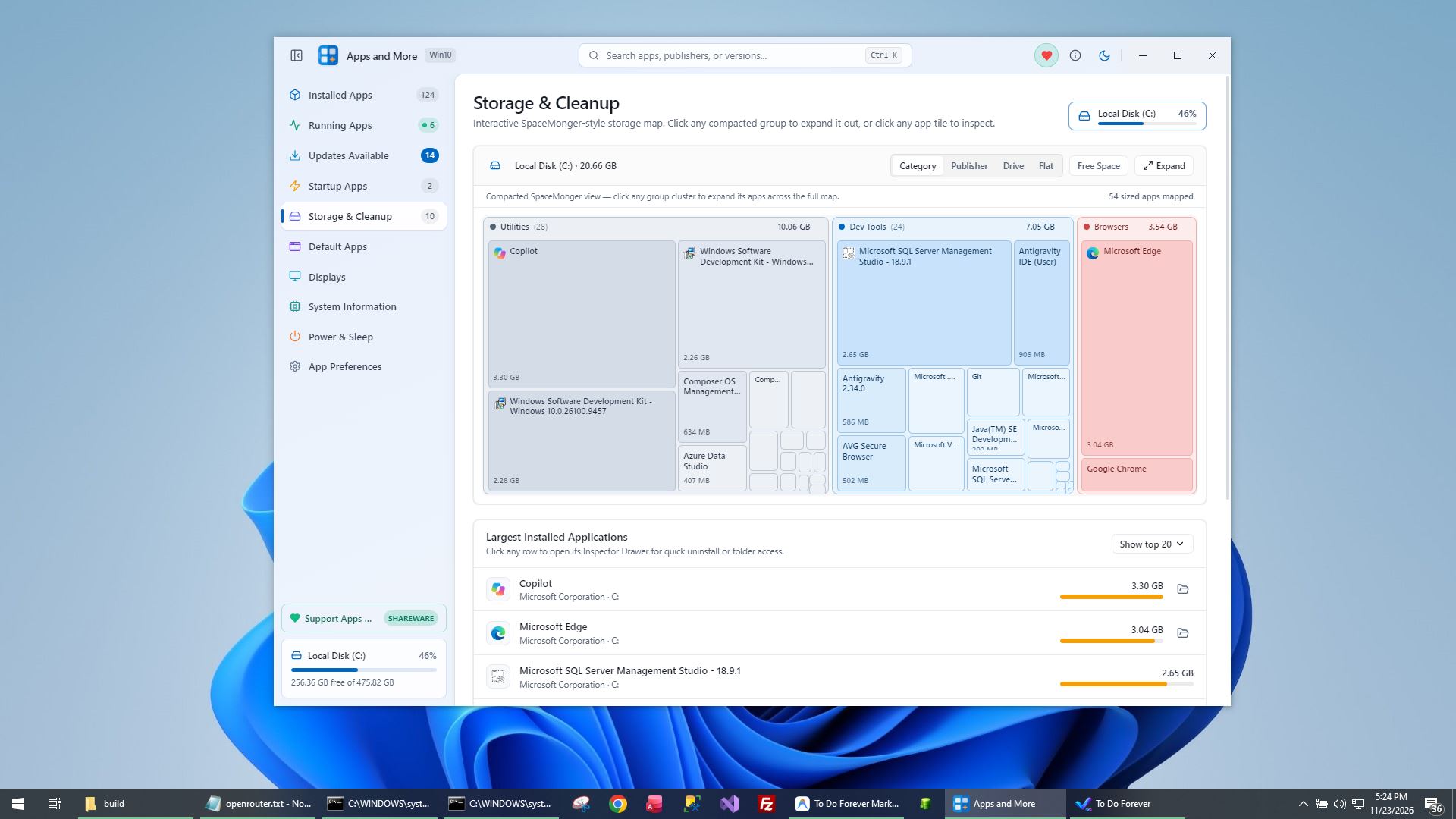
Explore an interactive disk map by category, publisher, or drive. Spot large apps, find install records whose folders are gone, and manage the local icon cache.
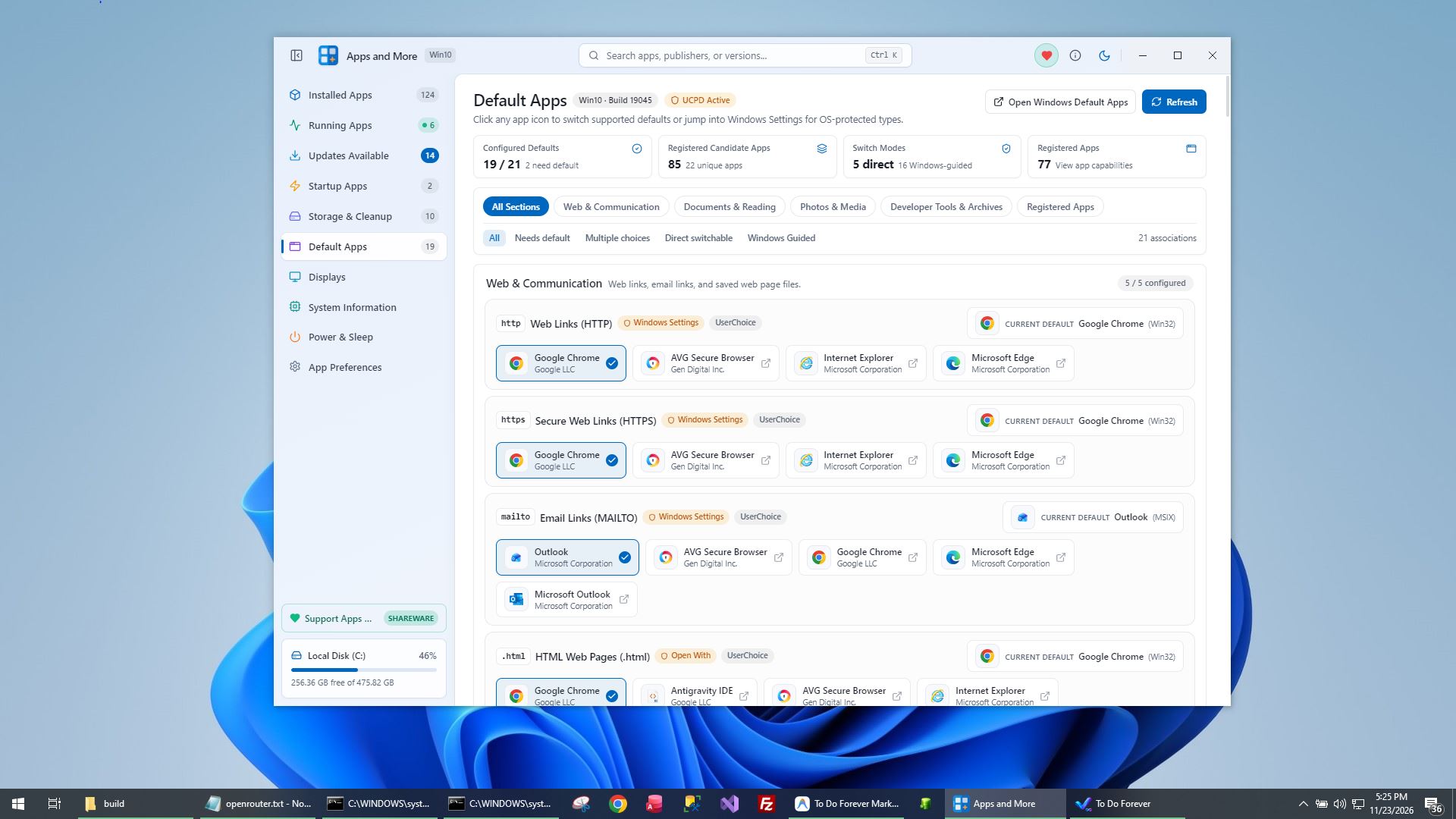
Review startup impact for your account or all users, then toggle items without deleting their settings. Search file types and protocols, switch supported defaults, or continue in Windows.
Arrange monitors, choose Extend, Duplicate, or Single Display, and tune resolution or refresh rate. Preview wallpapers and choose from six fit styles.
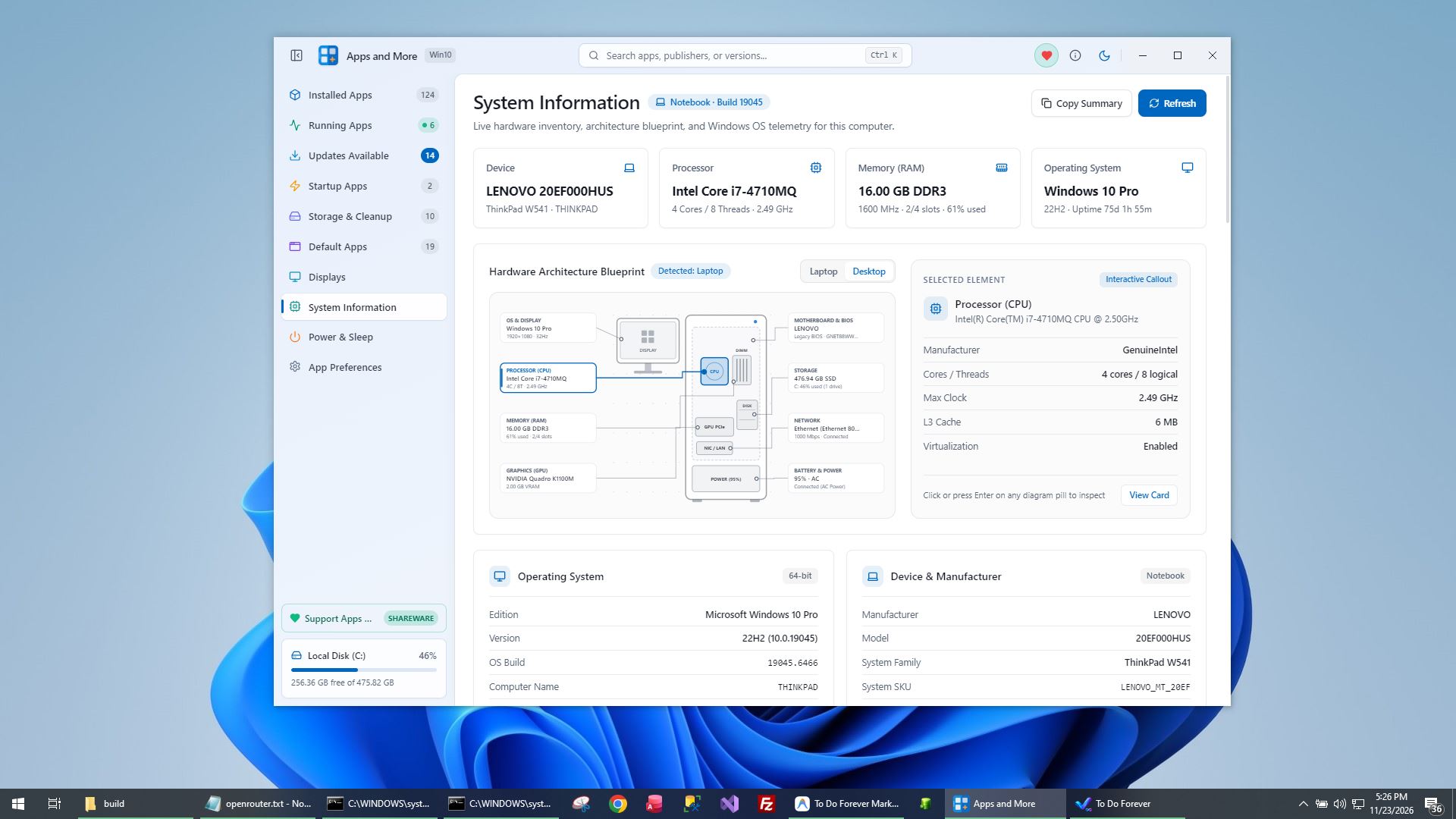
Explore an interactive system blueprint and details for CPU, memory, graphics, storage, network, security, and more. Copy a clean summary when you need support.
Adjust sleep and hibernate behavior, power plans, lid and button actions, wake timers, and USB power settings from one command center.
See it in action
Explore the focused workspaces that bring everyday system tools together.
Thoughtful by design
Built for Windows 11 with true Mica translucency and a Fluent fallback on Windows 10. Choose Light, Dark, or System themes, search across tools with Ctrl+K, and use the installer or portable .exe.
Apps and More runs without administrator access. It only requests permission when a specific action needs it, and startup controls let you switch items off without deleting them.
Free for your Windows PC
Windows download links are being prepared. The button below is a temporary placeholder and does not start a download.
Windows 11 and Windows 10 · Installer and portable .exe options